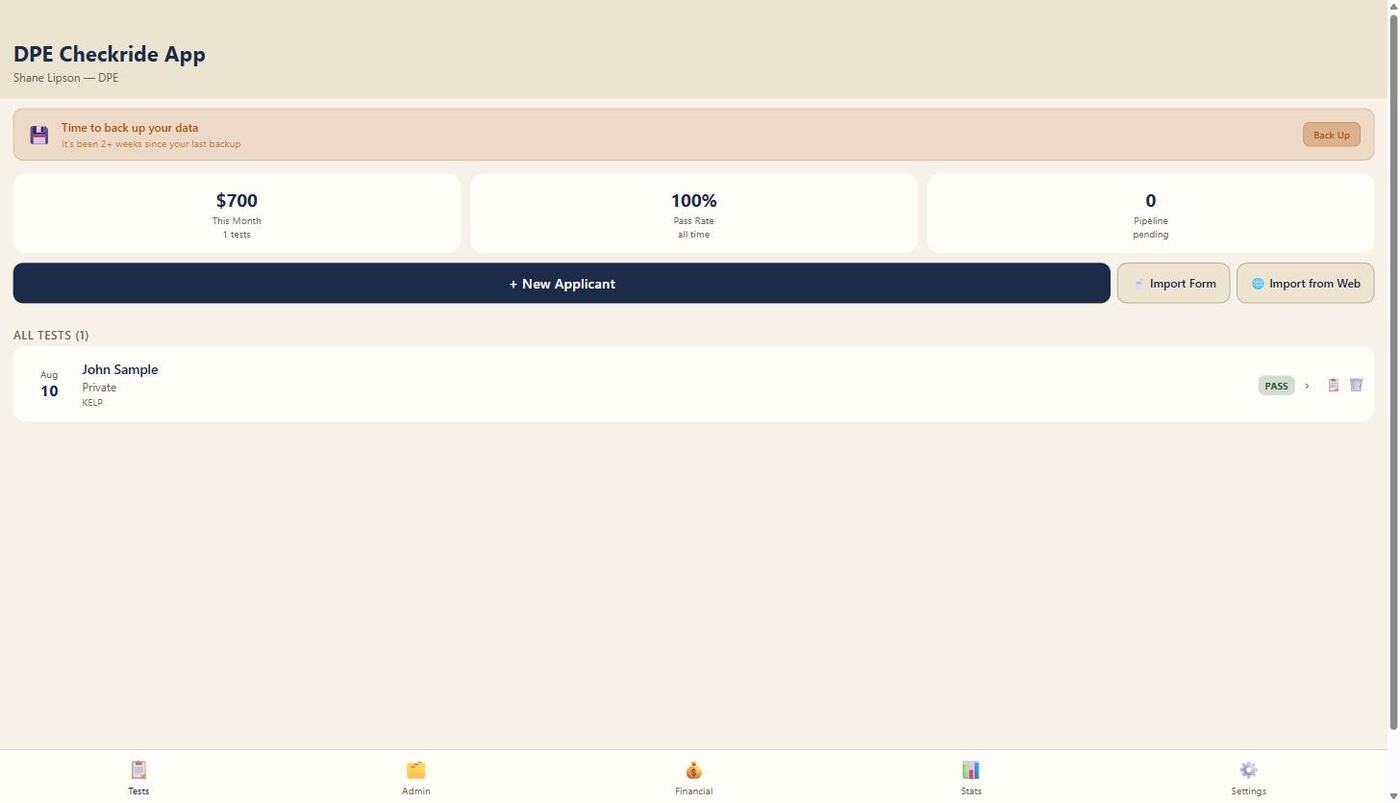
DPE App replaces the binder. Applicant records, ACS-coded oral and flight grading, postflight debriefs, and one-click audit exports — all in an app designed around how a Designated Pilot Examiner actually works a test day.
From the applicant's first submission to the signed audit record, DPE App keeps the whole exam in one place.
A public web form where applicants submit their information before the checkride — you review and import it with one click.
A dedicated intake link for your DPE practice, ready to hand to instructors and applicants so they can submit ahead of the exam.
Built-in, certificate-specific POA scripts — eligibility checks, the ground and flight scenario, disqualification grounds — ready to walk through on exam day.
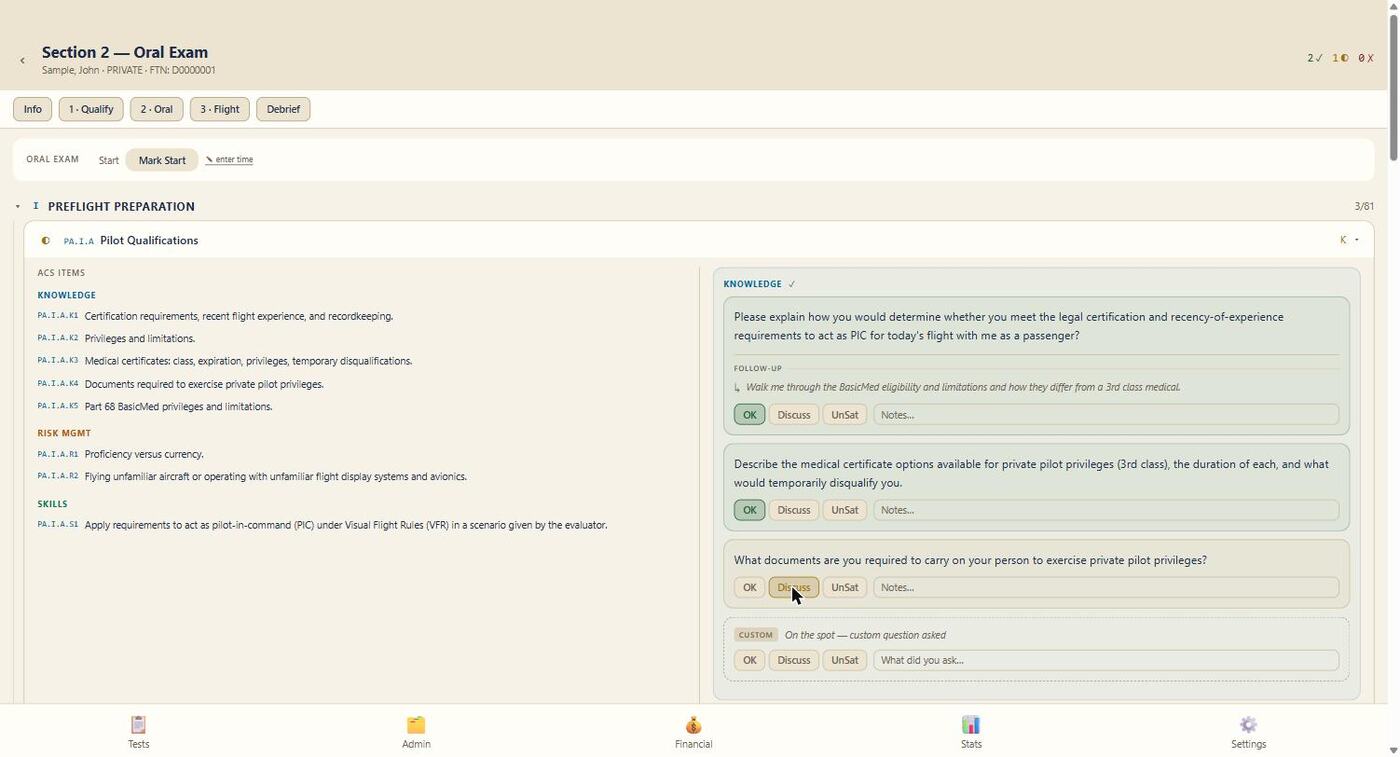
Grade oral exam ACS task elements directly as satisfactory/unsatisfactory, or use the question-based method if you prefer — organized by official ACS code, with a built-in timer.
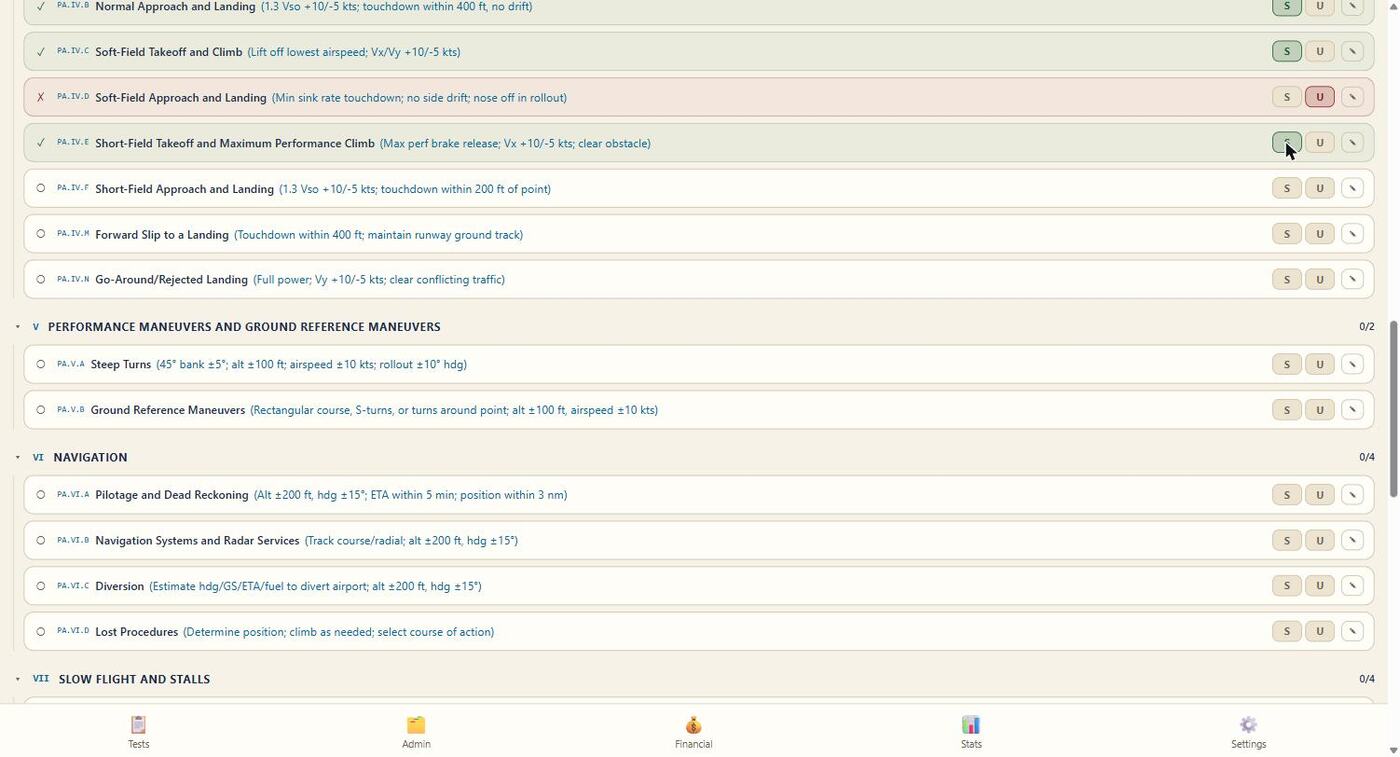
Task-by-task satisfactory/unsatisfactory grading organized by ACS area, with inline tolerances shown for reference and its own flight timer.
Generate a formatted Word document of the full checkride record — every task, grade, and comment — for FAA audit purposes with one tap.
Store certificate, aircraft, instructor, and scheduling details per candidate, with autocomplete on repeat fields and one-tap duplication for repeat applicants.
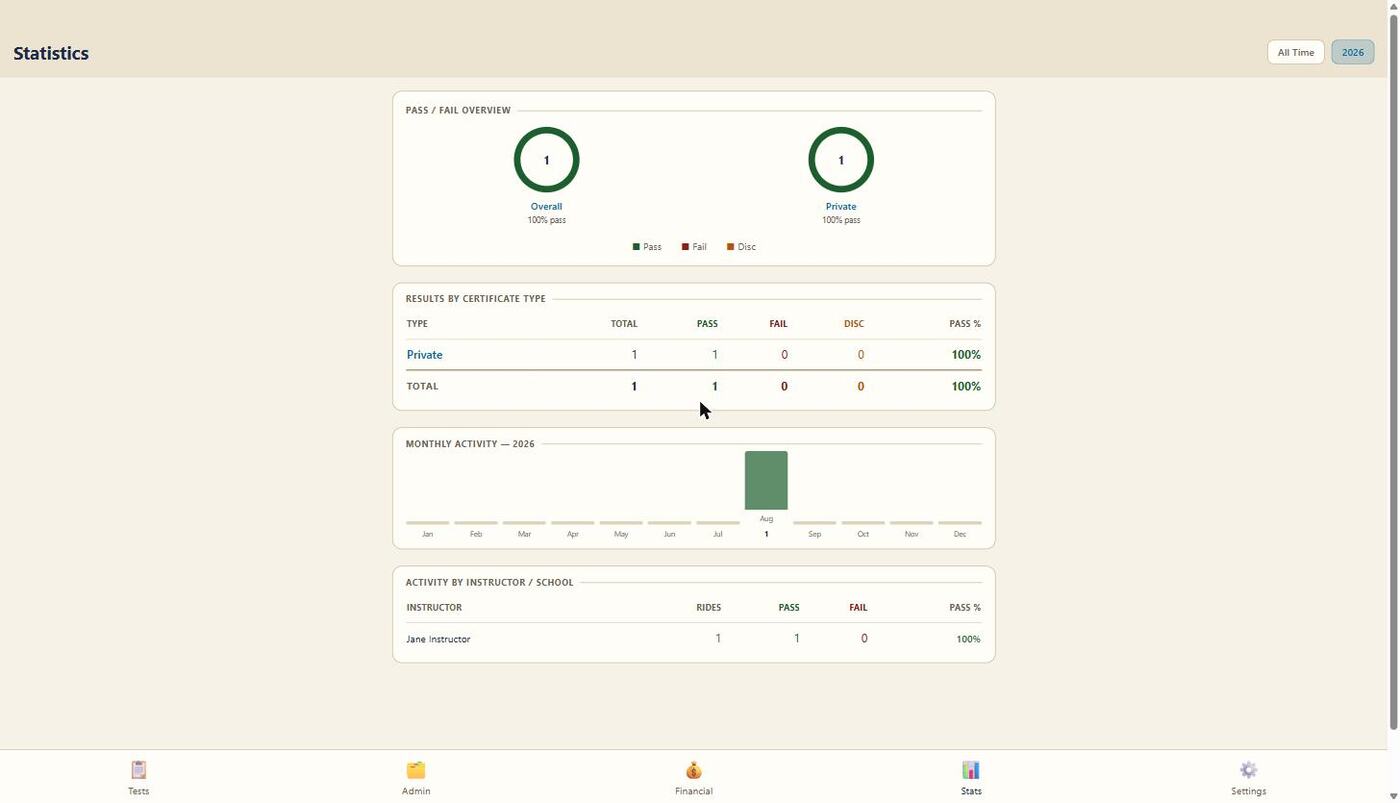
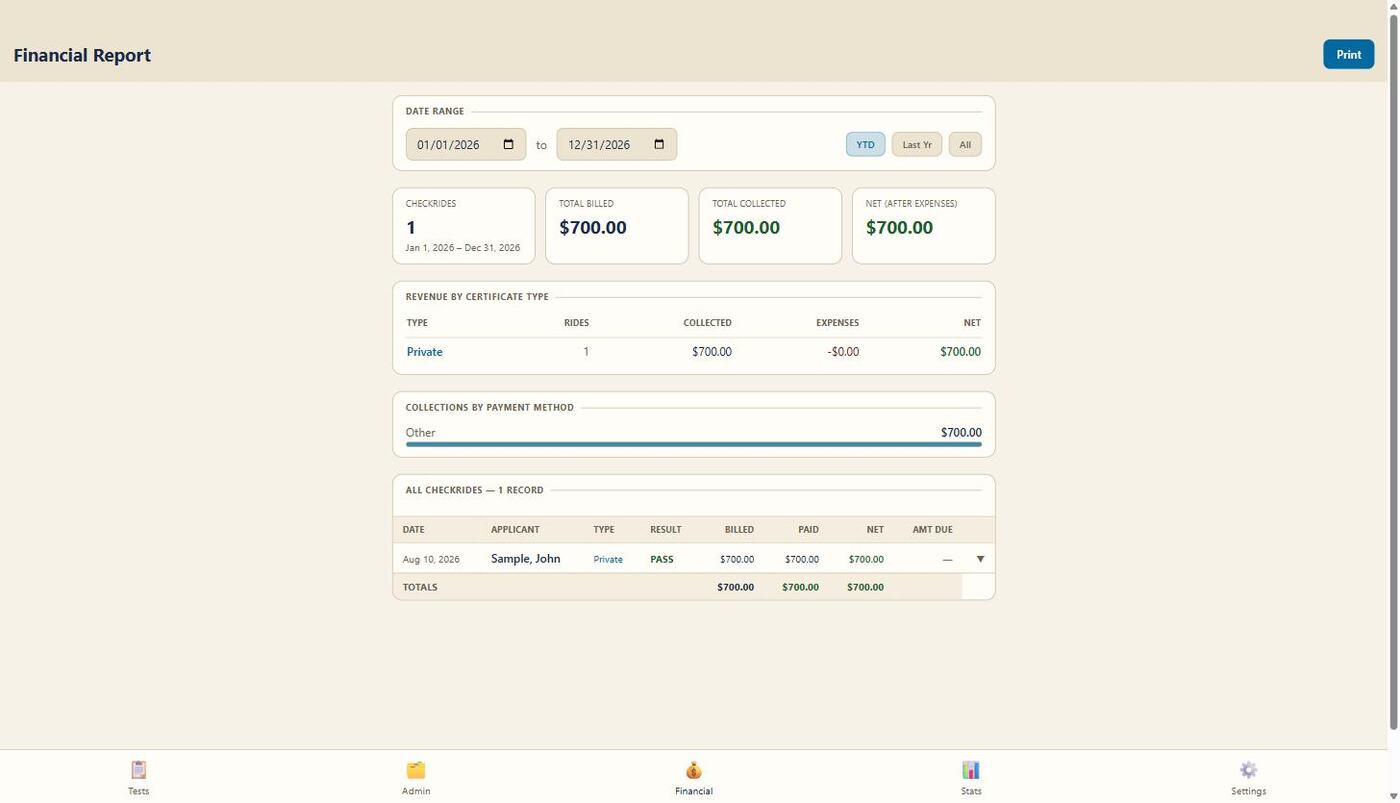
Fees billed, paid, and owed per applicant, plus a statistics dashboard for pass/fail rates, commonly missed ACS codes, and monthly volume.
Automatic cloud backup on launch, with manual push/restore across devices and multi-device conflict protection.
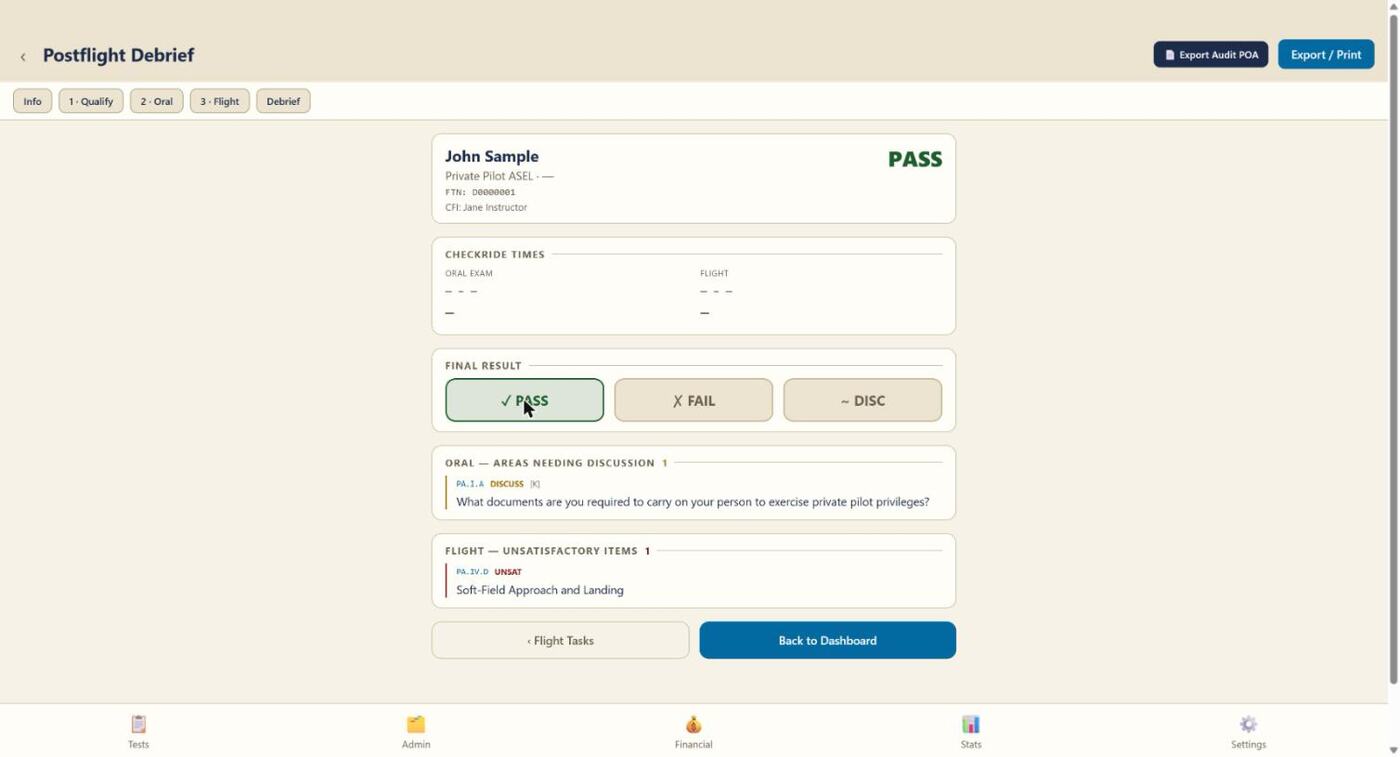
Every screen below is the actual app, in use.

Every task is organized by official Airman Certification Standards code, so nothing gets missed and every finding is traceable back to its source. Grade by task or by question — your choice.

Each ACS area and task is laid out for quick satisfactory/unsatisfactory grading in the airplane, with the flight timer running alongside.

Pass/fail outcome, total oral and flight time, and every scored comment roll up into one summary — ready to walk the applicant through immediately.
Pass/fail rates, the ACS codes applicants miss most, and monthly checkride volume — plus a financial report of fees billed, paid, and owed.
Installing is free and takes about a minute — you don't need a license key yet. Unlock full access afterward with the key from your trial or purchase.
Open this link in Safari on your iPad — not Chrome, and not on a Mac or iPhone. DPE App is built and tested for iPad.
On your iPad, tap the button above (or visit dpe-app.pages.dev directly) using Safari.
It's the square with an arrow pointing up, in Safari's toolbar.
Scroll down the share sheet if you don't see it right away, then tap Add.
DPE App now runs full-screen like a native app, and works fully offline from here on.
DPE App opens to a one-time key screen right after you install it — you won't be able to enter any checkride data until you unlock it. Start your 30-day trial below to get a license key emailed to you automatically, then enter it on your iPad to unlock the full app.
Full applicant records, ACS-coded grading, online applicant intake, and automatic cloud backup across devices — all in one plan.
Everything you need to run checkrides, online or offline.
Enter a card to start your 30-day trial — you won't be charged until it ends, and you can cancel anytime before then. Your license key is emailed automatically as soon as checkout completes.
Start your 30-day trial today — your license key is emailed automatically as soon as checkout completes.
Start 30-Day TrialDPE App is built and tested for iPad, running as a Progressive Web App (PWA) installed to your home screen through Safari. It opens full-screen like a native app and works completely offline — no signal or Wi-Fi needed at the exam location.
Not yet. It installs directly from Safari as a home-screen app, which avoids App Store review delays and lets updates ship immediately. A native App Store version is a possible future addition.
Install the app on your iPad first — that part is free and doesn't require a key. Then select Start 30-Day Trial above. You'll enter a card to begin your trial, and your license key is emailed to you automatically as soon as checkout completes — enter it on your iPad to unlock.
Yes. The app works fully offline with local backup and restore, so your data always lives on your device with a manual export/import path. On top of that, Platinum Membership includes automatic, cross-device cloud backup whenever you're online.
Free trial. Every Platinum Membership subscription starts with a 30-day free trial. A payment card is required to start the trial, but you will not be charged anything during this period. You may cancel at any time during the 30 days at no cost, and you won't be billed.
After your trial ends. If you don't cancel before the trial ends, your card will be charged the annual subscription price ($100/year), and your subscription will automatically renew each year unless canceled.
14-day refund window. If you are charged when your trial converts to a paid subscription, you may request a full refund within 14 days of that charge, no questions asked. To request a refund, contact us using the information below with your license key and the email address used at checkout.